The Sinking City 2 update 1.1.0: FSR 4.1.1, DLSS legacy mode and HDR on PC
The Sinking City 2 update 1.1.0 adds AMD FSR 4.1.1, a Legacy mode for DLSS and HDR with HDR10+, and fixes a DLSS glitch at 4K and 1440p. Here is what to tweak, which GPUs clear the requirements and how to test your PC with the demo.

In this guide 5
Frogwares released update 1.1.0 for The Sinking City 2 today, October 6. The Lovecraftian survival horror game launched on August 18. If you play on PC, the video menu is the part to check: it adds AMD FSR 4.1.1, a Legacy mode for NVIDIA DLSS and HDR output with HDR10+ support. The update also fixes a visual glitch that showed up when you turned DLSS off mid-game. If you have not bought the game yet, the demo is back on Steam and your save carries over to the full game.
What 1.1.0 brings to PC
These are the changes in the official notes that affect your hardware:
- AMD FSR 4.1.1: now available in the Video settings.
- Legacy mode for NVIDIA DLSS: a new option if you play with DLSS.
- HDR on PC: with HDR10+ support, multi-monitor HDR and an in-game brightness calibration screen with a peak brightness range up to 500 nits on all displays.
- DLSS fix: a visual glitch when switching DLSS off during gameplay at 4K and 1440p is fixed.
The patch also brings changes to the game itself. Inventory and weapon upgrades now carry over into Ex Oblivione, and a new Pure New Game option starts a completely fresh playthrough once you finish the game. Calvin gets two new outfits: The Warlock and The King in Yellow.
What to do after updating
- Turn on HDR in Windows first. The game follows your system HDR setting and will not force HDR on if it is disabled there. Then run the in-game calibration screen.
- Try FSR 4.1.1 or DLSS Legacy mode in the Video settings. Frogwares evaluated the requirements using TSR and comparable technologies, so it is worth checking which upscaler suits your card best.
- Grab the demo if you don’t own the game. It is the most honest way to see how it runs on your PC before paying, and your progress carries over.
The Sinking City 2 PC requirements
| Minimum | Recommended | |
|---|---|---|
| GPU | GeForce GTX 1070 or RX 5700 (8 GB VRAM) | GeForce RTX 4070 Ti or RX 7900 XT (12 GB VRAM) |
| CPU | Core i7-8700K or Ryzen 5 3600X | Core i5-14600K or Ryzen 5 7600X |
| RAM | 16 GB | 32 GB |
| Storage | 70 GB on SSD | 70 GB on SSD |
| OS | Windows 11 64-bit | Windows 11 64-bit |
The minimum targets 1080p at 30 fps on the Low preset. The recommended targets 1440p at 60 fps on the Medium preset. Both require DirectX 12 and an SSD.
This is a demanding game. The GTX 1660 Super falls short of the minimum. The RTX 3060 clears the minimum but grades D against the recommended, so it will struggle at higher settings. The RTX 4070 and RX 9070 XT grade C against the recommended. The RTX 5080 is the only card on the list to earn a B. One detail: the RTX 5070 clears the recommended GPU but still grades C. Our grades assume 16 GB of RAM, and the recommended spec asks for 32 GB.
What about Steam Deck?
Valve has not verified it. Our spec-based estimate gives it an F, and the Deck does not meet the minimum. You can find the details on the game’s Steam Deck page.
Can your PC run The Sinking City 2?
Here is how your PC grades against The Sinking City 2 and the Remastered version of the first game:
| Game | Rec. GPU score | Rec. RAM | Min. RAM | Your PC |
|---|---|---|---|---|
| The Sinking City 2 | 30,600 | 32 GB | 16 GB | ? |
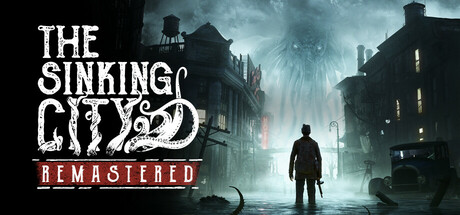 The Sinking City Remastered The Sinking City Remastered | 17,600 | 16 GB | 16 GB | ? |
The full game page shows your grade with your GPU and RAM, and which upgrade raises it the most.
Sources: Steam: Major Update 1.1.0, Update 1.1.0 patch notes on Steam, The Sinking City 2 on Steam
Keep reading

Halloween: The Game patch 1.1.0 adds shader precompiling, DLSS-G and PC crash fixes
IllFonic's patch 1.1.0 brings shader precompiling on PC, DLSS-G support and crash fixes for specific AMD hardware. Here is what it changes for your rig.
Team Fortress 2 patch fixes long-session view jitter and a crash: PC requirements
Valve fixes view jitter in long sessions and a game crash. It applies on restart. Here is what changed and whether your PC runs it.
Metro 2033 Redux gets free DLSS on October 22: what changes for your PC
Metro 2033 Redux and Last Light Redux get a free Next-Gen Update on PC on October 22, with DLSS, 4K textures and spatial audio.